
Creating Tenant Invoices
Step 1: Search the property
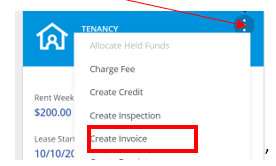
Step 2: Select the tenancy profile and click on 3 dots & click “create invoice”
Step 4: Wording on invoices sent from Magain City Realty should be consistent. Examples are as follows:
Step 5: Due date will default to 14 days (do not change). Select the account type that best suits the invoice description – use the drop-down arrow.
Step 6: Upload a copy of the supplier's invoice or calculation sheet. This will be sent with the invoice.
Step 7: Enter the amount due (no GST payable by tenants)
Completed invoice
Step 8: If you don’t wish to email the invoice to the tenant (generally in the case of a bond claim), make sure you untick
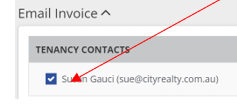
o Click on "Create & Send Invoice"