
When the tenant brings the keys to the office follow the process below
Step 1: Confirm the property address with the tenant and check Property Me to see who the Property Manager is.
Step 2: Find the original key receipt. This should be saved in One Drive > Magain City Realty - Documents > Properties > PM name > Property Address. The key receipt should be found in the tenant folder, lease docs.
Step 3: Print the key receipt and ask the tenant to sign them as returned. If there is no specific area for them to sign (old key receipt), write "Keys returned (date)" and have the tenant sign. Ask for their forwarding address and write this on the key receipt also.
Step 4: Using a red pen, tick next to all keys returned and circle any missing keys and write "missing" next to it.
Step 5: If there are any keys missing, complete "Acknowledgement of Non-Return of Keys" form and have the tenant sign it.
One Drive > Residential Team> Forms and Templates > Key forms
Step 5: If any additional keys have been returned, photocopy these keys on to the "Additional Keys Returned" template.
Step 6: Place a yellow tag on the keys and write the key number on one side prefixed with the letter "T" i.e. T123 and place the keys on the hook in the key room.
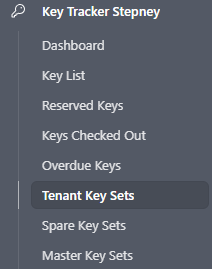
Step 7: Add the keys back into Key Tracker on Air Table. Go to Tenant Key Sets then click Add Tenant Key Set on the top right hand corner.

This will bring up below Tenant Key Return Form. Follow the form as per the instructions listed.
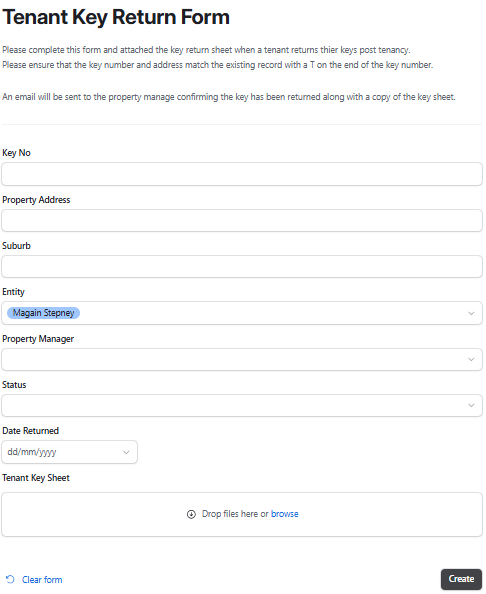
Step 8: When you click 'Create' this will send a notification to the Property Manager with the key sheet advising they are returned.