For company log in details please see below
Change of Ownership
Step 1: Log into Residential Bonds online and go to the profile page for the particular bond.
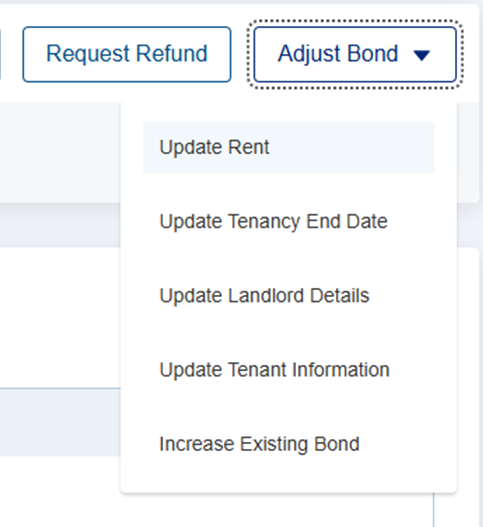
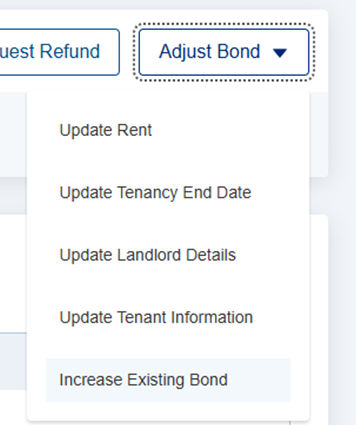
Step 2: Click on "Adjust Bond", then "Update Landlord Details"
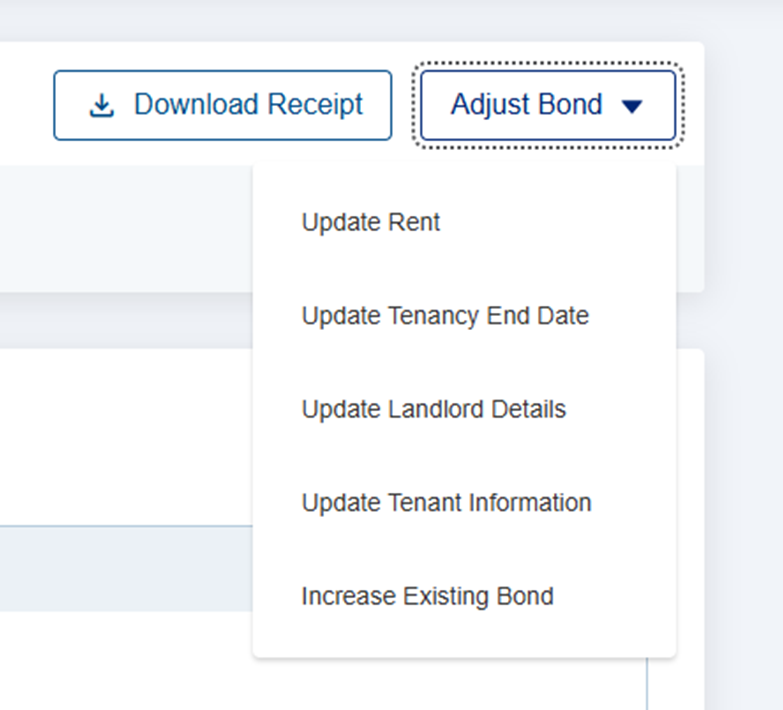
Step 3: Update the landlords details accordingly
Step 4: Click on "Save"
Importing a Bond
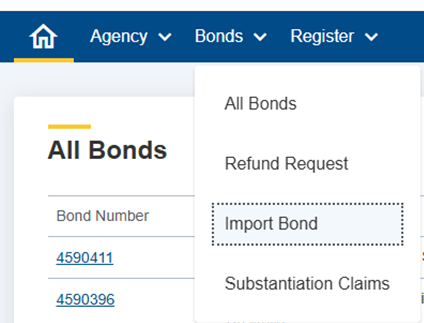
Step 1: Log into Residential Bonds online and go to "Bonds" drop down and select "Import Bond".
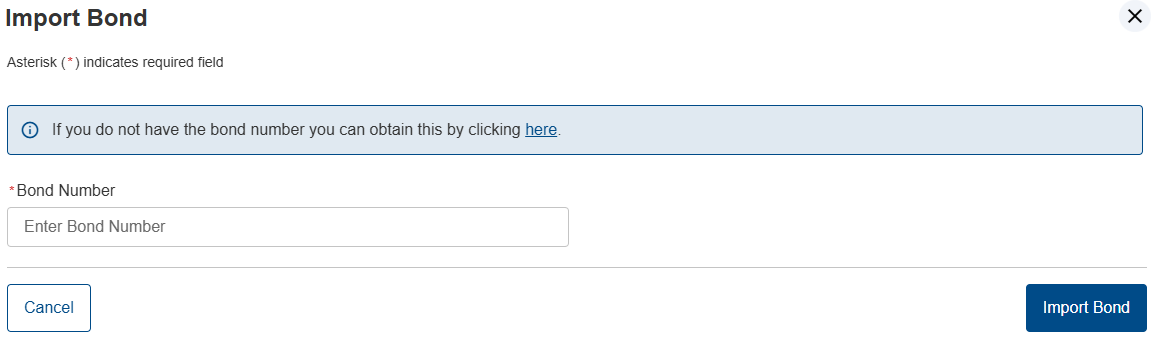
Step 2: Click on "Import Bond", then enter the Bond Number and click "Import Bond"
Refunding a Bond
Step 1: Log into Residential Bonds online and go to the profile page for the particular bond.
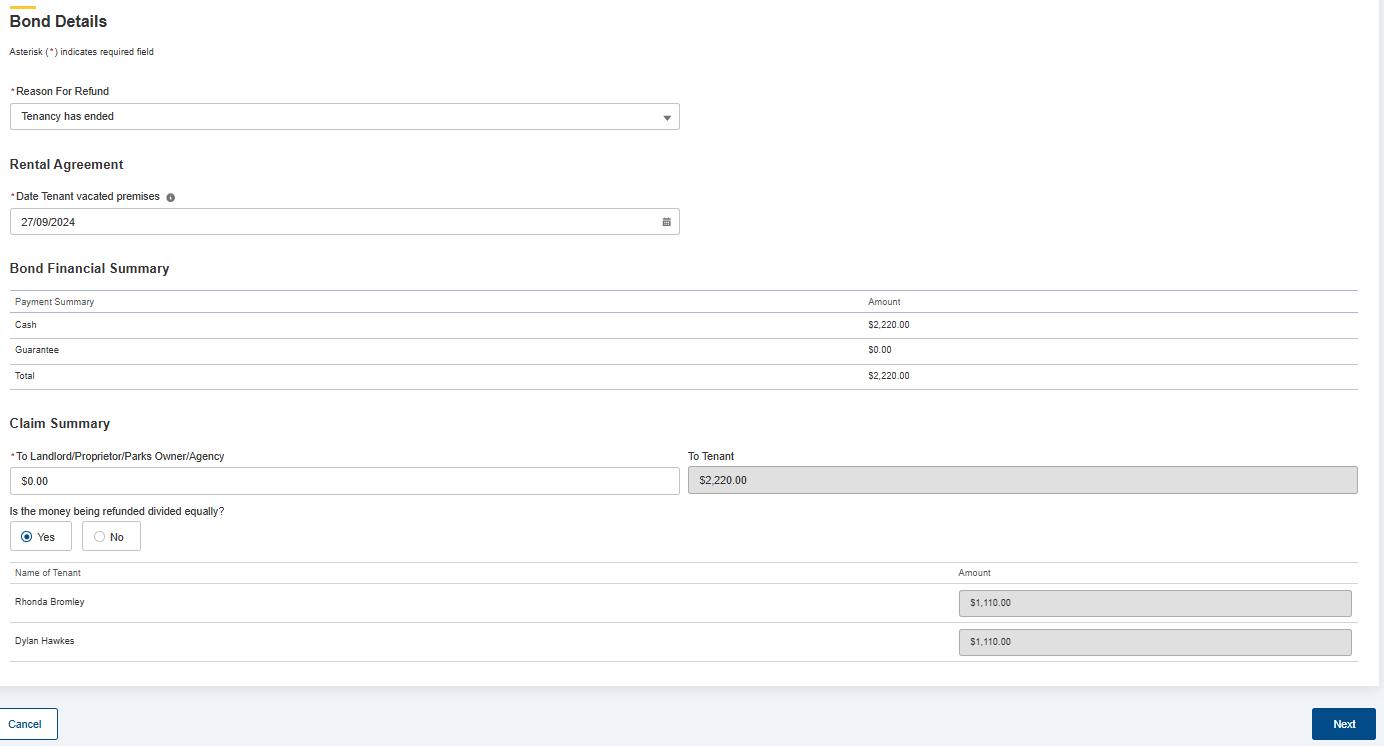
Step 2: Click on "Refund Request", then fill out the details in the below fields then press next to finalise your refund claim.
Step 3: The tenant will then receive an email from Bonds Online to approve your claim. Once approved the money should reach the nominated accounts within 48 hours.
Topping up a Bond
Step 1: Log into Residential Bonds online and go to the profile page for the particular bond.
Step 2: Click on "Adjust Bond" drop down then select "Update Rent"
Step 3: Enter in the new rent amount then click "Save"
Step 4: Go back to the "Adjust Bond" drop down then select "Increase Existing Bond"
Step 5: Enter in the new bond amount then click "Next". Please note you can only increase a bond to a maximum of 4 weeks rent on properties less than $800 per week. If above $800 per week, then it's 6 weeks rent. Regardless of if the tenancy started before the legislation changes, the maximum bond is now approved with the current legislation amounts.
Lodging a Bond
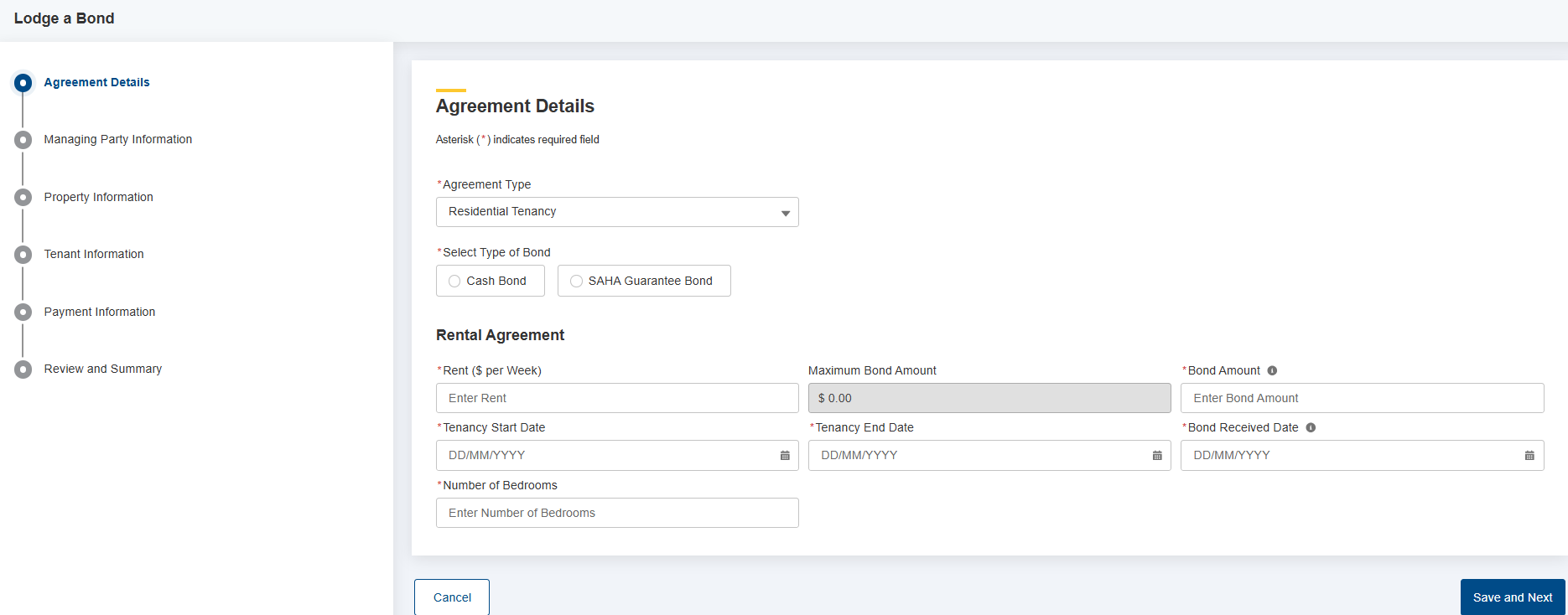
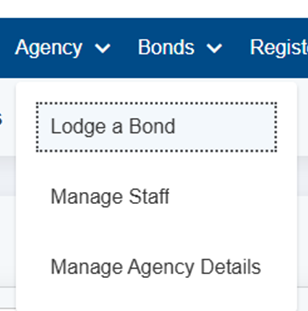
Step 1: Log into Residential Bonds online and go to the "Agency" drop down and select "Lodge a Bond"
Step 2: Follow the steps accordingly on the screen.