
Magain City Realty use the standard Tenancy Lease Extension Agreement provided through REISA (Real Estate Institute of South Australia)
The Lease Renewal can be prepared through the Integration option in Property Tree.
Step 1: Search the property in Property Tree and highlight the tenant profile page
Step 2: Select the "Integrations" tab

Step 3: Click on the down arrow next to REI forms and then click Create REI Form

Step 4: Confirm the property address and tenancy and then click "Next"
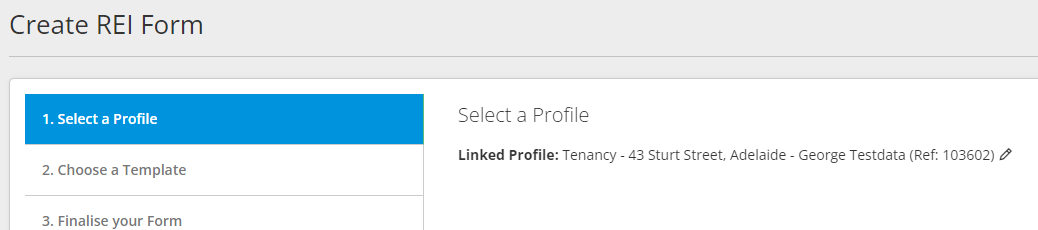
Step 5: In the search bar, type "CR Magain - Residential Lease Renewal". Select the template to use (ensuring you click on the template which is ticked "Custom".) Click on "Next"

Step 6: Confirm that you have the correct property address and tenant. Change the Form Details Name to "Lease Renewal - Property address".
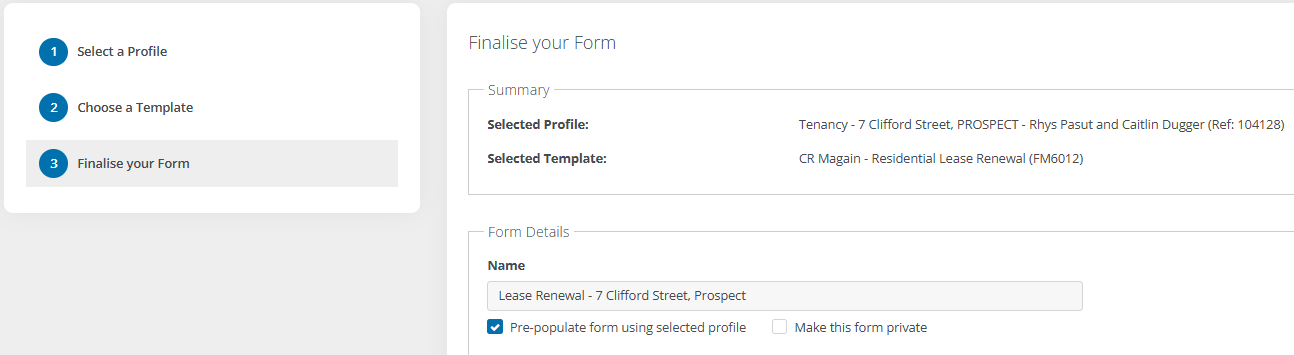
Step 7: Click on "Create Form" and you will be directed to REI Forms where the Lease Renewal is to be completed.
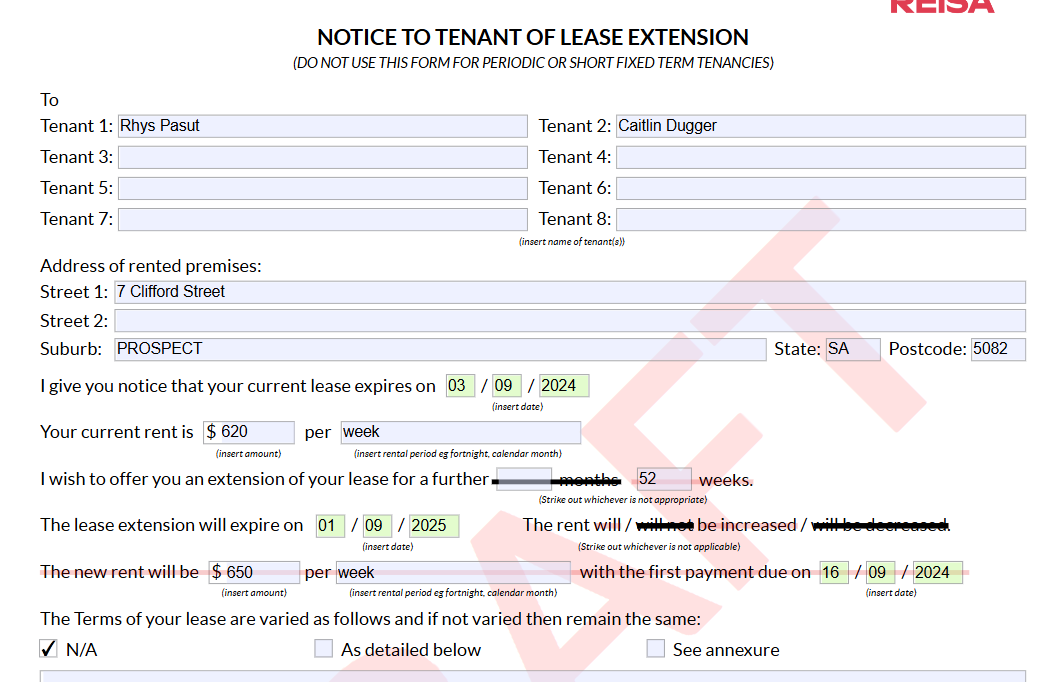
Step 8: Some information will pre-populate. Work through the body of the agreement, filling in all other information as follows:
Check tenant names correct
Check address correct
Enter current lease expiry date
Change current rent to weekly amount
Enter lease extension term (generally 52 weeks, not 12 months). Strike out option not used.
Enter lease extension expiry date (check with lease date calculator in One Drive)
Stike out not applicable regarding rent adjustment
Enter new rent amount per week and rent increase date
Tick "N/A" unless there are additional condition then tick "As detailed below"
Enter the return date to be the Trello due date 65 days before lease expiry
See example below
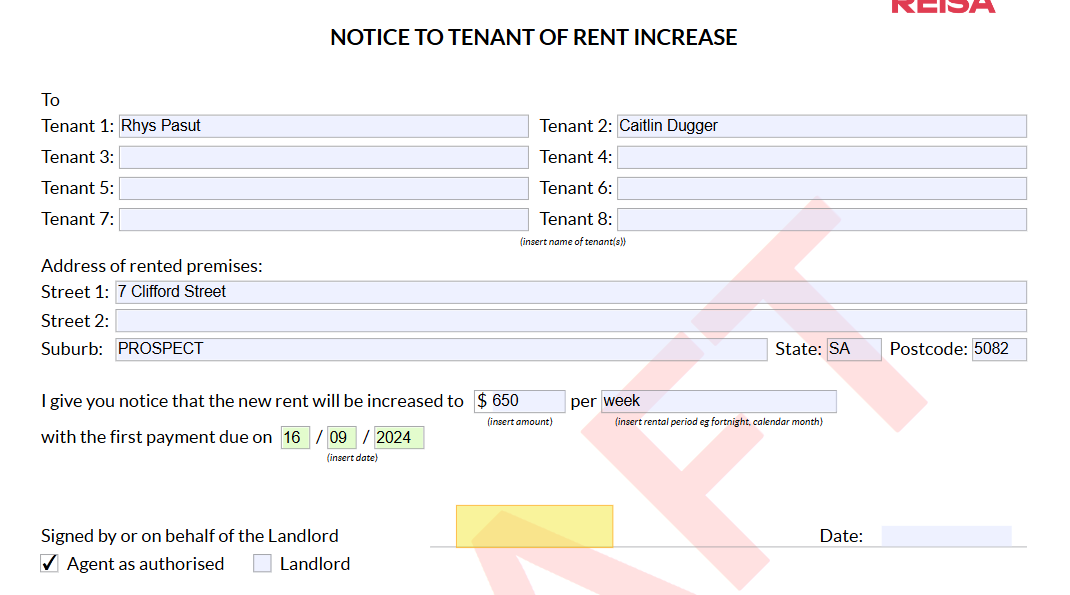
Step 9: If there is a rent increase, it should auto populate the details on Page 3 - Notice to tenant of rent increase. If no increase leave blank.
Step 10: Review your document: Make sure all information has been entered and it is correct. Once the document is signed, all terms and conditions are binding.
Happy with the document? Click on "Finalise" to remove the "Draft" watermark and then click " Finalise" again.

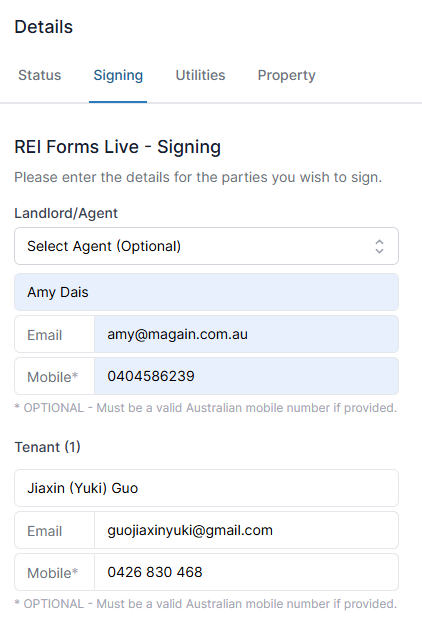
Step 11: Send to tenants for signing: The "Forms Live Sign" option will open on the right hand side of your screen for you to click on.
Step 12: Change the Landlord/Agent to 'Select Agent (Optional) then enter in the Property Managers details. Check tenant details correct. Scroll to the bottom and click Next.
Step 13: Set the signing order as the Landlord/Agent for Group 1, and the tenant/s for Group 2 using the up and down arrows.
Step 14: Custom Message - Subject should say- 'Sign Request - Lease Renewal for Property Address'. Message should say as below.
Hi,
Please find attached the landlord's offer for renewal of your tenancy.
Should you wish to accept this offer, please ensure the document is signed as soon as possible to ensure ongoing security of your tenancy.
Kind Regards,
Property Manager
Step 15: CC Admin cr.renewals@magain.com.au so they can receive a copy once it's all signed and complete the lease renewal process.
Step 16: Click on "Send".