Comparative Market Analysis
A comparative market analysis (CMA) is an estimate of a home's price used to help landlords set rental prices. The analysis considers the location, age, size, construction, style, condition, and other factors for the property and comparables.
Step 1: Log into Price Finder using your Indvidual log in.
Step 2: Once logged in you will be directed to a page where you can search for the property you are completing a rental CMA for. Select the option Property Report. Then click search.

Step 3: The Property Report will now show. If you scroll down, it will show details of the property including how much it was last rented for. On the left hand side you will see a section called Appraisal Tools. Click on the icon for Rentals CMA.
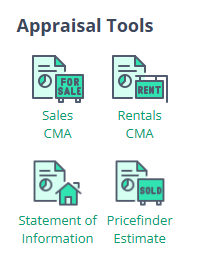
Step 4: Property Features - Confirm the Features and Attributes as required. You probably just need bedrooms, bathrooms and carparks for a general search. Click Next Step.
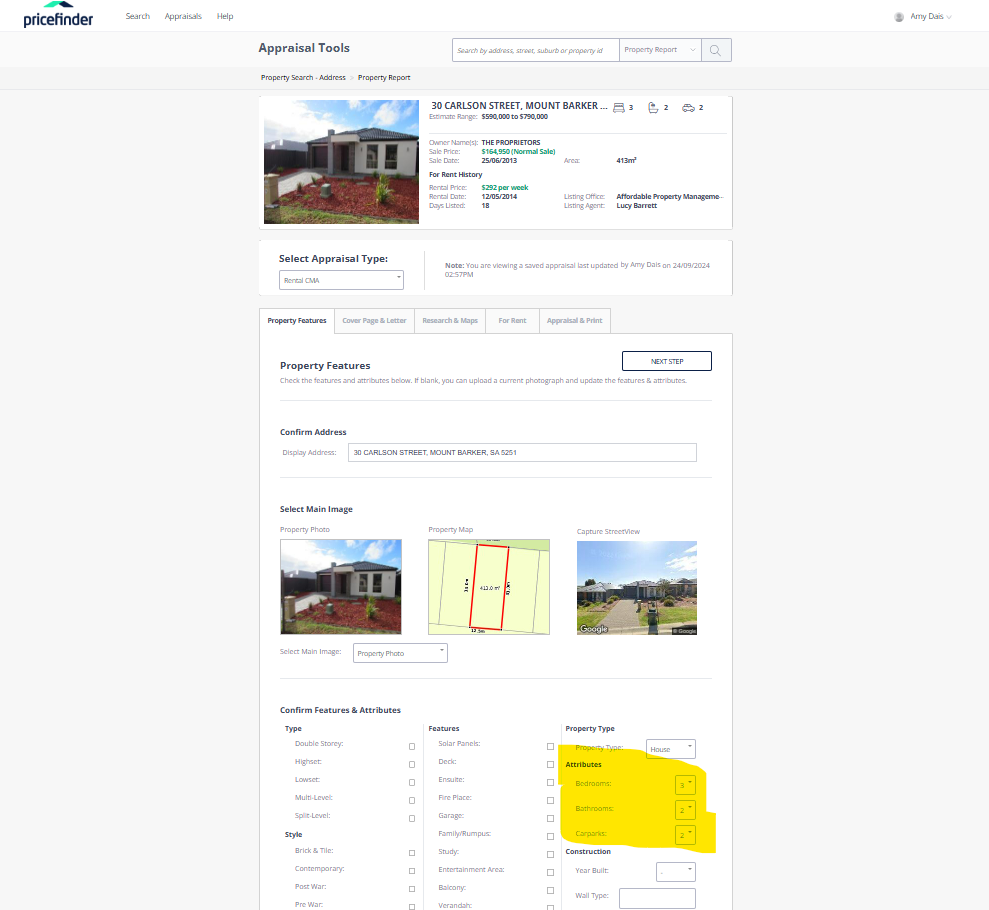
Step 5: Cover Page & Letter - Use the Default letter. Click Next Step.
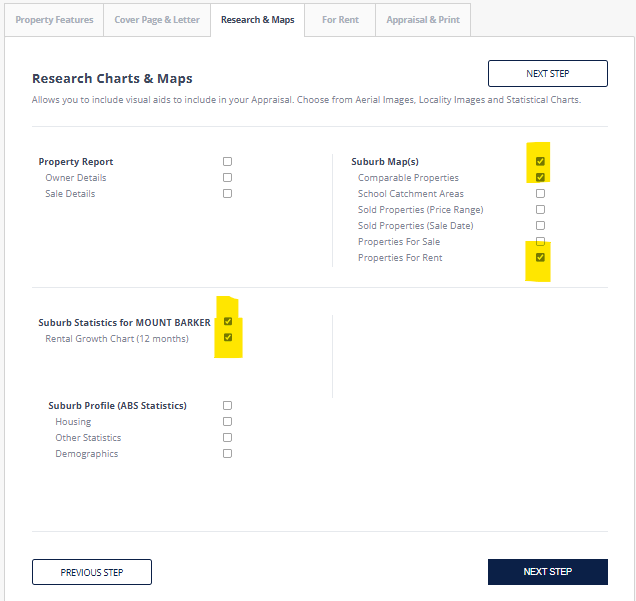
Step 6: Research & Maps - Select the options as per below. Click Next Step.
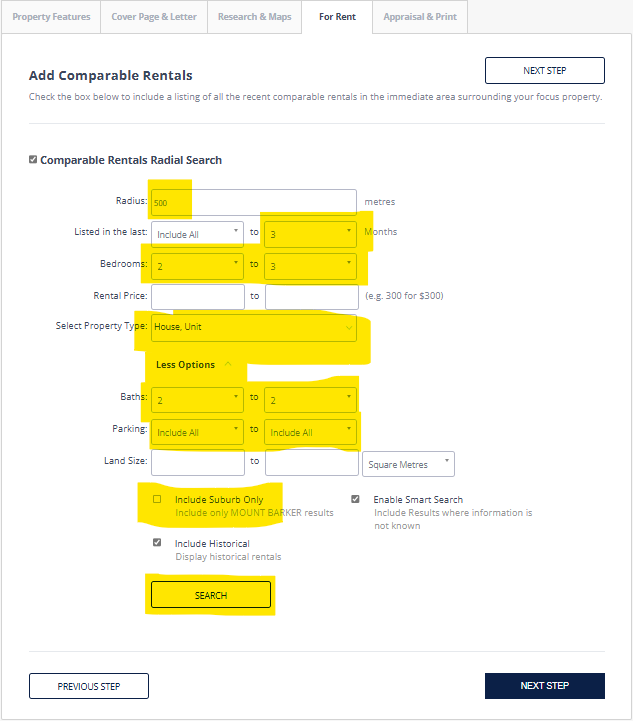
Step 7: For Rent - Click on More Options and adjust comparable details below as required. Click Search.
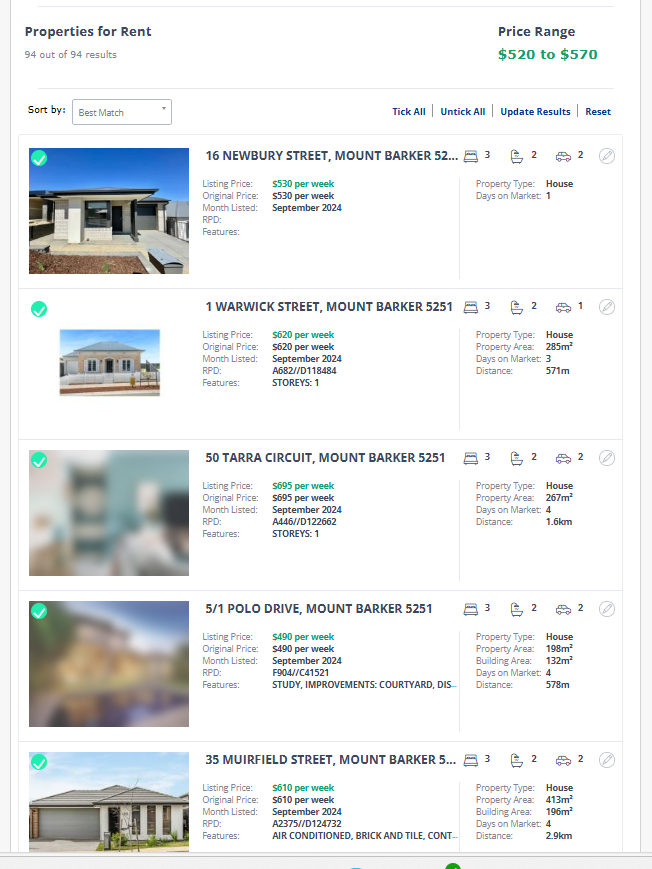
Step 8: For Rent - This will now show a list of comparable properties, and a Price Range based on the ticked properties. The 10 properties with green ticks in the corner of the photos will show on the report. You can tick more or less properties. If there are a lot if properties to search through, you can refine your search above. Once you are happy with the comparable properties selected, best practice is to select 5-10, click Next Step.
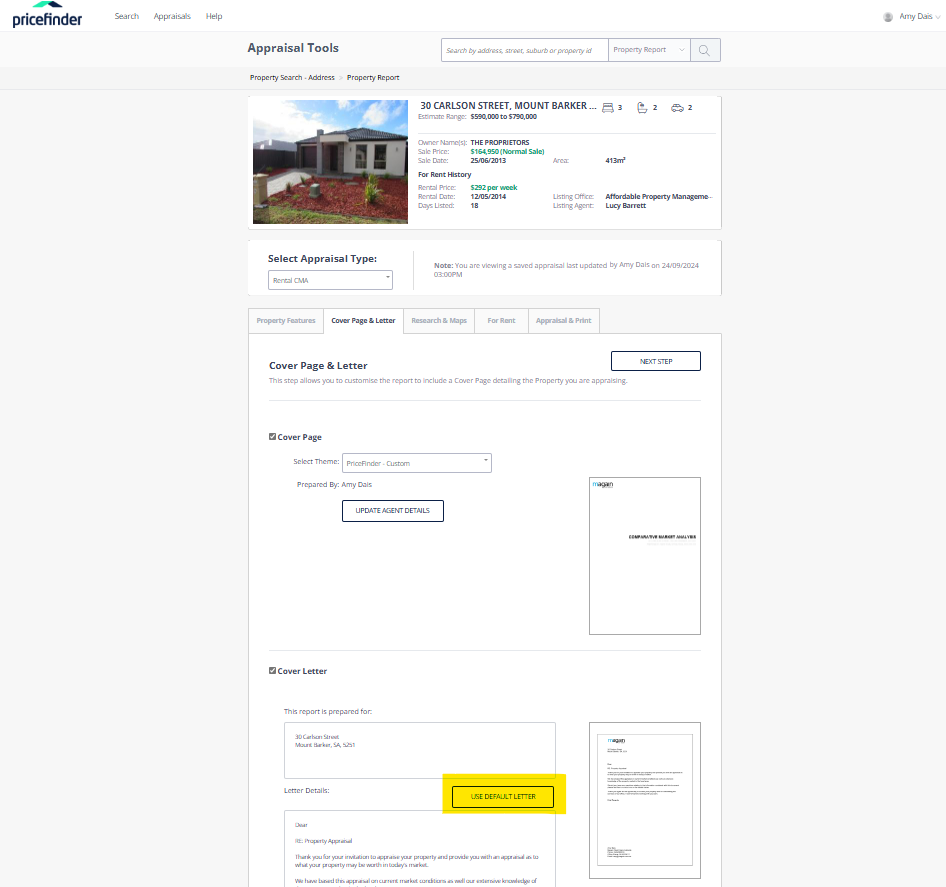
Step 8: Appraisal and Print - Enter the Rent Price Estimate based on the Price Range, then click Download PDF. You may send this report to the landlord if you wish, or just note your findings in an email.